.svg)
Heading 2
What Are The Two Types Of Remarketing You Can Use on Google Display Ads?
Learn the key differences between standard and dynamic remarketing in Google Display Ads. Find out which strategy best suits your B2B marketing goals and how to maximize ad effectiveness for increased conversions.
Written by

Subiksha Gopalakrishnan
Growth Marketer
Edited by
.avif)
Vrushti Oza
Content Marketer
Summarize this article



TL;DR
- Remarketing through Google Display Ads helps you reconnect with past website visitors. There are two key types of Google Display Ads remarketing: standard and dynamic.
- Standard remarketing uses pre-defined ads to boost brand awareness and encourage actions, making it ideal for promoting offers to a broad audience.
- Dynamic remarketing personalizes ads based on user behavior, showcasing specific products or services that users have previously shown interest in. This targeted approach increases engagement and conversion rates.
- By selecting the right remarketing strategy and following best practices, businesses can enhance their Google Display Ads campaigns and drive more conversions.
In B2B marketing, reconnecting with potential clients who have previously visited your website is crucial. It enhances the advertising efforts by targeting the right audience. And the most effective way to do this is through remarketing.
Remarketing with Google Display Ads lets you strategically position your ads in front of past visitors. You can bring them back to your website, strengthen your connection, and improve your conversions.
There are two types of remarketing strategies used on Google Display Ads: standard remarketing and dynamic remarketing. Each serves distinct purposes and aligns with specific business goals.
This blog post will explore the key differences between standard and dynamic remarketing and help you determine which approach best fits your business strategy.
Also, check out Google Ads for SaaS.
Google Ads Standard Remarketing
Standard remarketing uses pre-defined ad variations to target users who have previously visited your website. This method is ideal for increasing brand awareness and prompting users to complete specific actions.
How Do You Set Up Standard Remarketing Ads?
To set up standard remarketing ads:
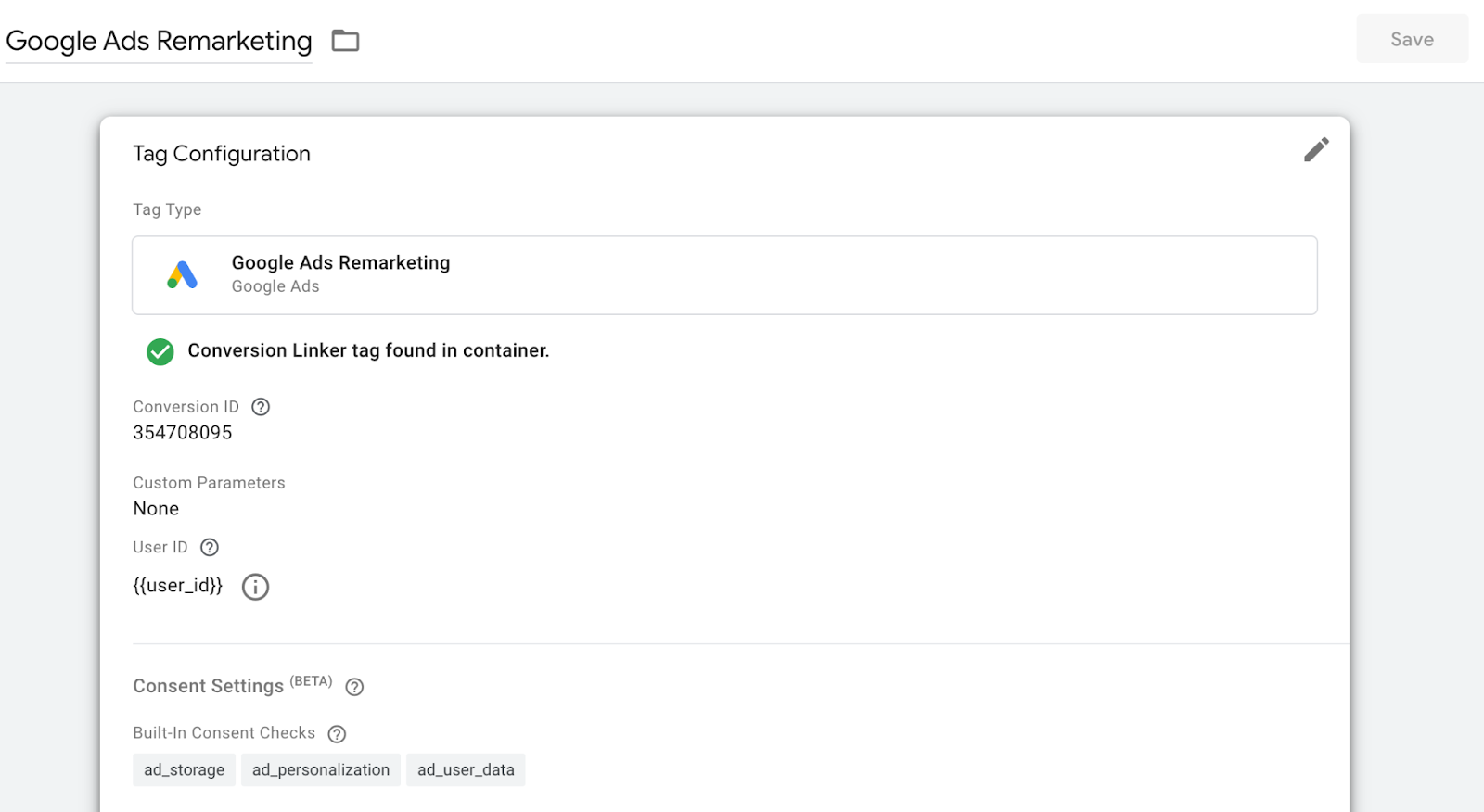
- Install the Google remarketing tag on your website.
- When someone visits your website, a small piece of code, known as a ‘cookie,’ is placed on their device's browser.
This enables you to advertise your products or services to previous visitors as they browse other sites within the extensive Google Display Network.
How Does a Standard Remarketing Ad Work?
Imagine, a user visits your website, explores the features page, and leaves without signing up for a demo. Here is what happens.
- A cookie is added to their device.
- As users browse other websites within the Google Display Network, such as YouTube and Gmail, they are shown remarketing ads about your products/services.
This targeted reminder can encourage the user to return and complete the action they initially skipped.
What Are The Benefits of Standard Google Ads Remarketing?
Standard remarketing in Google Ads offers several benefits for B2B marketers, including:
1. Easy Setup and Broad Targeting
Standard remarketing is simple to implement without complex configurations. It allows you to quickly target all past website visitors, regardless of which specific pages they visited.
2. Expanded Audience Reach and Increased Brand Awareness
By re-engaging potential customers who have shown interest in your offerings, you can expand your audience reach. Consistent exposure to these ads ensures your brand remains top-of-mind for your target audience.
3. Diverse Ad Formats
You can choose from various ad formats, such as text, image, or video ads to capture your audience's attention effectively.
Read more: Benefits of Google Ads.
What Are The Disadvantages of Standard Remarketing?
1. Lack of Audience Relevance
Standard remarketing targets all website visitors, including those who have already converted or made a purchase. This can result in showing irrelevant ads to existing customers.
2. Wasted Ad Spend
By displaying ads to all website visitors, including those who have already become customers, standard remarketing can lead to a wasted ad budget due to targeting the wrong audience segment.
These are the two main disadvantages of using a standard remarketing strategy.
Also, read our article on B2B Google Ads Strategy for 2026.
Dynamic Remarketing Google Ads
Dynamic remarketing goes further by leveraging user behavior data on your site to deliver personalized ads. It is particularly effective for targeting users interested in specific products or services. This customized approach makes the ads more relevant, increasing the chances of re-engaging visitors and driving conversions.
How Do You Set Up Dynamic Remarketing Ads?
- To set dynamic remarketing ads, install the Google remarketing tag on your website.
- Assign dynamic values to key website events, such as the products viewed or e-books downloaded, and visitors' specific actions, like filling out forms or requesting demos.
- Map these events throughout the customer journey and assign dynamic values accordingly.
- Create a feed in Google Ads that includes details such as product descriptions, pricing, and relevant identifiers.
- Google Ads will use this data to retarget users with personalized ads based on their previous interactions with your site, enhancing engagement and driving conversions.
This strategy allows B2B marketers to precisely re-engage potential customers, improving ad performance and ROI.
How Does A Dynamic Remarketing Ad Work?
Imagine you have a company that provides two main services: Traffic De-Anonymization and Intent Capture. When someone visits your website, you track their interactions with these services.
- You assign dynamic values to different key events on your site, like when users:
- View information about Traffic De-Anonymization (e.g., which pages they visit, what products or features they look at).
- Check out the details for Intent Capture.
- These "dynamic values" are essentially data points that help you personalize the ads based on what the user interacts with.
- Each key event, like visiting the Traffic De-Anonymization page, is tagged with specific values unique to that service, such as details about pricing, benefits, or features. When a user who looked at these services leaves your website without taking further action (like signing up for a demo), you can use dynamic remarketing ads to re-engage them.
- The ad content will be tailored specifically to the services they showed interest in, which helps make the ads much more relevant and effective at getting them back to your website to complete the desired action.
- Dynamic values allow you to create more specific, targeted ads. These ads show potential customers the exact services they previously engaged with, making it more likely they’ll convert (e.g., request a demo, make a purchase, etc.).
What Are The Benefits of Dynamic Remarketing Ads?
Dynamic remarketing in Google Ads offers several advantages in B2B marketing.
1. Higher Ad Relevance For Users
Dynamic remarketing shows ads featuring products or services that users have already expressed interest in, enhancing ad relevance and personalization.
2. Improved Engagement
Highly relevant ads lead to better engagement, as users are more likely to click on ads tailored to their behavior.
3. Higher Conversion Rates
Since dynamic remarketing targets high-intent users who are further along in the buying process, conversion rates will be higher compared to standard remarketing.
Disadvantages of Dynamic Remarketing Ads
1. Complex Set-Up Process
Setting up dynamic remarketing ads can be complicated. It requires configuring multiple components, including a detailed product feed, accurate dynamic value assignment, and user behavior tracking, which demands significant time and resources.
2. Risks of Incorrect Value Assignment
Incorrectly assigning dynamic values can lead to ad campaigns that fail to deliver the desired results, reducing the effectiveness of your marketing efforts.
3. Ad Fatigue
Repeated exposure to similar dynamic ads can cause ad fatigue, making the audience to desensitized and less responsive over time.
Also, read the guide to Google Ads management.
Standard Remarketing Vs. Dynamic Remarketing in Google Ads
Here's a comparison table highlighting the differences between standard and dynamic remarketing ads in Google Ads.
How To Choose The Right Remarketing Strategy For Your Business?
When choosing between standard and dynamic remarketing for Google Ads, weighing the pros and cons is important. Standard remarketing is effective for building brand awareness and encouraging broad audience engagement, but it may lead to wasted ad spend by targeting users who have already converted. On the other hand, dynamic remarketing offers highly personalized ads, increasing relevance and conversion rates, but requires a more complex setup and can lead to ad fatigue if users are overexposed.
Ultimately, standard remarketing is best for increasing general visibility, while dynamic remarketing works well for high-intent users interested in specific products or services.
Also, read how to do a Google Ads audit.
FAQs on Remarketing on Google Display Ads
Q1. What are the key differences between standard and dynamic remarketing in Google Display Ads?
Standard remarketing uses predefined ads to target all past website visitors, aiming to increase brand awareness. Dynamic remarketing, however, delivers personalized ads based on user's previous interactions with your site, making it more suitable for targeting high-intent users and increasing conversions.
Q2. When should I use standard remarketing over dynamic remarketing?
Standard remarketing is ideal for increasing brand awareness and targeting a broad audience. It works best for businesses that want to promote general offers or discounts to all past visitors, regardless of specific products they viewed.
Q3. What are the pros and cons of using dynamic remarketing?
Dynamic remarketing offers higher ad relevance, improved engagement, and better conversion rates by personalizing ads based on user behavior. However, it has a more complex setup, requires detailed tracking and feed management, and can lead to ad fatigue if users are repeatedly exposed to similar ads.
See how Factors can 2x your ROI
Boost your LinkedIn ROI in no time using data-driven insights
Try AdPilot Today



.avif)


See Factors in action.
Schedule a personalized demo or sign up to get started for free
LinkedIn Marketing Partner
GDPR & SOC2 Type II